Comparison
Best Free Website Audit Tools for Small Websites (2026)
If you search for good website audit tools that are free, you usually find two kinds of results: tools that are genuinely useful for a smaller site, and tools that look free until you hit a limit that blocks the part you actually need. The best choice depends less on brand size and more on the exact job you want to do first.
Quick picks if you want the short answer
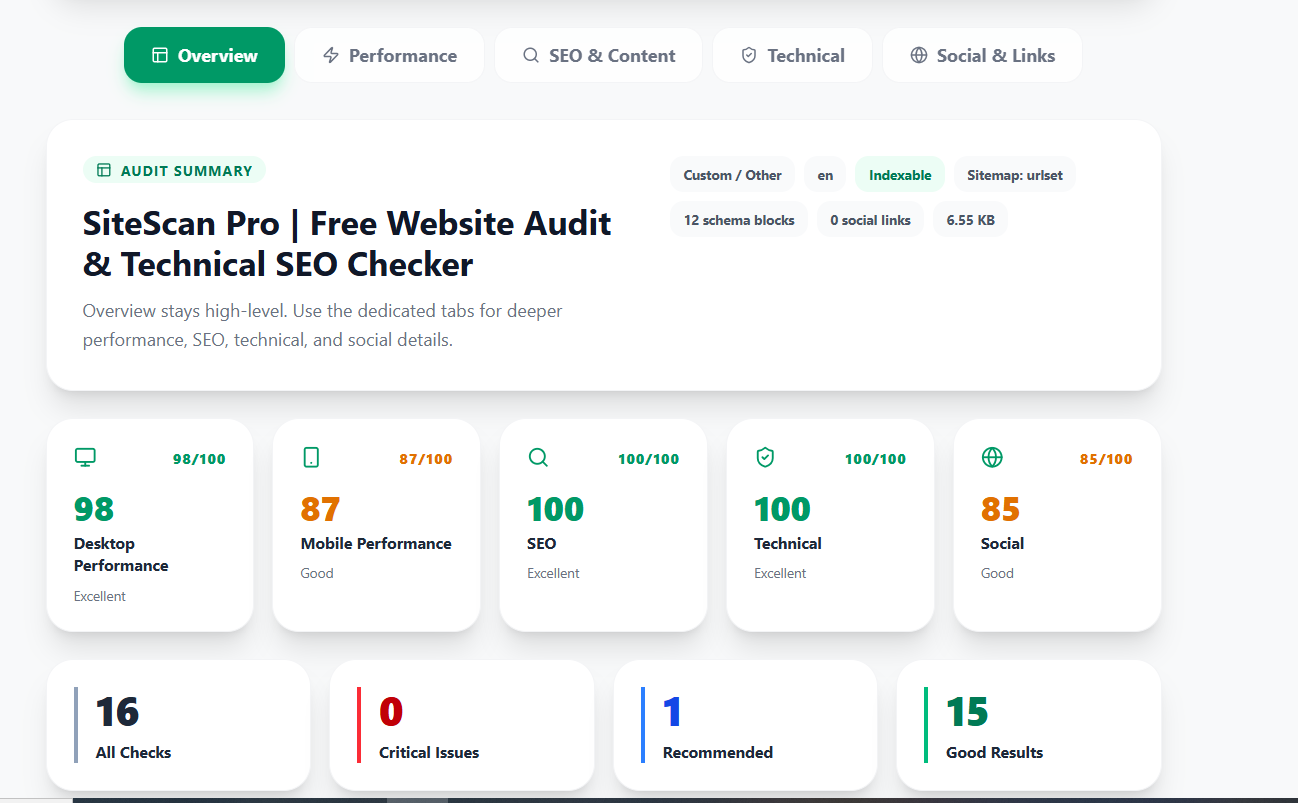
- SiteScan Pro: best for simple all-in-one website health checks in plain English.
- Google Search Console: best for seeing how Google actually crawls, indexes, and shows your pages.
- PageSpeed Insights: best for single-page speed analysis and Core Web Vitals context.
- Screaming Frog SEO Spider: best free crawler if you want hands-on technical depth for a smaller site.
- Ahrefs Webmaster Tools: best if you want a free verified-site audit with stronger keyword and link context.
What makes a free website audit tool actually useful
A good free audit tool should help you answer four practical questions: can search engines discover the page, can users load it quickly, does the page communicate clearly, and are there technical problems making the site feel unfinished? If a free tool only answers one of those questions, you may still need a second tool to finish the job.
For smaller sites, clarity matters even more than feature count. The right tool should tell you what is healthy, what is risky, and what to fix first.
Best free website audit tools by use case
SiteScan Pro
Best when you want technical SEO, metadata, indexing signals, security basics, link health, and performance context in one beginner-friendly report.
- Simple enough for founders, marketers, and smaller teams
- Good fit when you want one report instead of multiple dashboards
- Especially useful for homepage, service page, and small-site checks
Google Search Console
Best when you need Google's own search and indexing data. It is less of a design-friendly audit and more of a visibility and indexing control center.
- Strong for queries, impressions, clicks, coverage, and URL inspection
- Useful after a page is live and you want to monitor search performance
- Less useful if you want a beginner-friendly visual audit on day one
PageSpeed Insights
Best when speed is the main concern. It helps most when you already suspect layout shifts, slow loading, large assets, or mobile performance issues.
- Strong for lab speed data and performance opportunities
- Good companion tool, not a full website health platform by itself
- Single-page focused rather than broad site auditing
Screaming Frog SEO Spider
Best when you want a real crawler and do not mind a more technical interface. As of March 31, 2026, its official page still offers a free version for crawling up to 500 URLs.
- Strong for broken links, redirects, canonicals, metadata, and crawl logic
- Better for technical users than absolute beginners
- Most useful when you want to inspect many URLs at once
Where Ahrefs Webmaster Tools fits
Ahrefs Webmaster Tools is one of the better free options when you can verify the website. As of March 31, 2026, Ahrefs says it gives free access to verified-site auditing, keyword visibility, and link context for verified properties. That makes it a stronger choice if you want keyword and backlink context alongside a technical audit.
The tradeoff is that verified-site tools are not the same as a quick public URL scanner. They are often better after you control the property and want deeper ongoing insight.
How to choose the right tool for your situation
- If you want a simple report for a live page right now, start with a browser-based audit tool.
- If you want Google indexing and query data, add Search Console.
- If you want page speed depth, use a performance tool alongside the audit.
- If you want to crawl many URLs at once, use a crawler.
- If you own the site and want more keyword and link insight, add a verified-site platform.
Common mistakes when choosing a free website audit tool
- Choosing only by the number of features instead of the clarity of the output
- Using a speed tool and expecting it to solve indexing or metadata problems
- Using a crawler and expecting it to explain priorities in plain English
- Ignoring the difference between public URL scans and verified-site tools
- Assuming free means unlimited for all site sizes and workflows
Next step
If you want a faster first pass, try the SiteScan Pro website audit tool. If you are still comparing, read How to Choose a Website Audit Tool and Website Audit Tools for Small Business Websites.
What is the best free website audit tool for beginners?
A clear browser-based tool is often the easiest starting point because it shows the issues without making you learn a crawler first.
Do I need more than one free SEO tool?
Usually yes. Many teams combine one audit tool, Search Console, and one speed tool because each one answers a different part of the problem.
Can a free tool still be enough for a small site?
Yes. For small websites, a focused free stack is often enough to catch the biggest technical, indexing, and speed issues before paying for a larger platform.