Website Health
Free Website Health Checker: What to Look For Before You Trust One
A free website health checker sounds simple, but the phrase can mean very different things. Some tools only test page speed. Others mostly scan metadata. A useful health checker should give you a wider picture of whether the page is discoverable, technically clean, and trustworthy enough to support traffic and conversions.
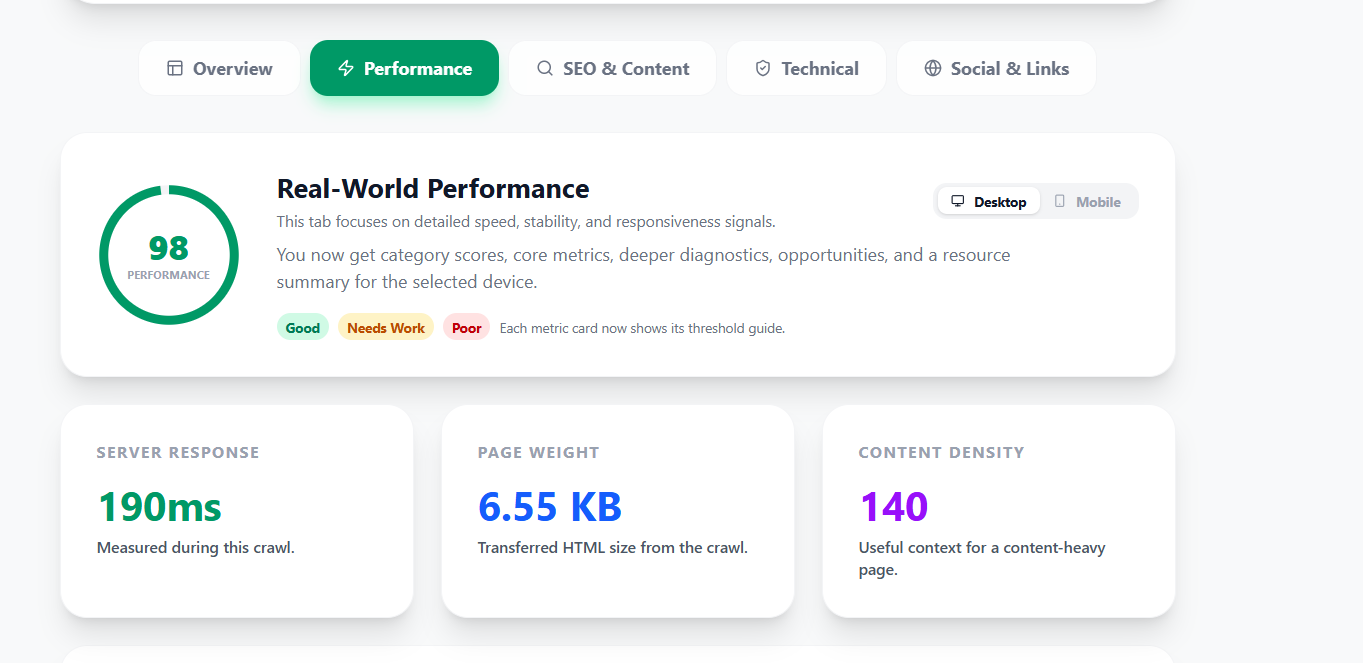
What a website health checker should actually cover
A good website health checker should cover technical SEO, indexability, metadata quality, broken links, page speed context, and basic trust signals. If it misses one of those areas entirely, you may still leave important issues hidden.
- Can the page be indexed and discovered properly?
- Do titles, descriptions, and headings communicate clearly?
- Are there broken links or redirects hurting trust?
- Does the page feel technically finished and secure?
- Is speed good enough on the pages that matter most?
Why page speed alone is not website health
Speed matters, but a fast page can still have weak titles, missing canonicals, blocked indexing, broken links, or thin structure. That is why many site owners feel confused after using a speed-only tool. The page may load well, but visibility and trust can still be held back somewhere else.
The most useful signals for smaller sites
Discovery signals
Canonicals, robots rules, sitemap presence, internal links, and whether the page looks indexable.
Trust signals
HTTPS, security headers, favicon, clean metadata, and obvious technical errors that make the site feel unfinished.
Content signals
Titles, meta descriptions, headings, alt text, reading depth, and whether the page actually explains the topic clearly.
Performance signals
Response time, page weight, Core Web Vitals context, and the biggest speed blockers instead of random low-value tweaks.
How to spot a shallow free checker
- It gives one score but does not explain what drives that score.
- It only talks about speed and ignores indexing or metadata.
- It reports lots of warnings without telling you which ones matter first.
- It shows developer terms without translating them into action.
- It has no clear next step after the scan.
What a better free website health checker feels like
The output should feel like a clear triage report. You should be able to tell what is healthy, what needs attention, and whether the next move should be technical SEO, indexing cleanup, performance work, or link repair.
That is also why the best health checkers tend to work well for small teams: they save you from guessing which issue deserves attention first.
Quick checklist before you trust any audit
- Does it show indexability or only a generic SEO score?
- Does it explain the headings, titles, and metadata, not just count them?
- Does it surface broken links, redirects, and security basics?
- Does it give performance context without pretending speed is everything?
- Does the output help a non-developer understand the next move?
Next step
If you want a practical example, run the free SiteScan Pro audit or go deeper with Technical SEO Audit Tool for Beginners and Best Free Website Audit Tools for Small Websites.
What is the difference between an SEO audit and a website health check?
A website health check is broader and usually easier to understand. It often includes technical SEO, but also looks at trust, links, and performance.
Can a free website health checker be enough?
For many smaller sites, yes. It is often enough to find the biggest blockers before you need a larger paid platform.
Should I run a health checker on every page?
Start with the homepage, top service pages, and the pages that already get impressions or leads. That usually gives the fastest return.