Audit Reports
Website Audit Report Example: What a Useful Report Should Show
A website audit report should not overwhelm readers with raw warnings. It should explain what is working, what is holding the site back, and what to fix first. The best reports turn technical checks into practical decisions.
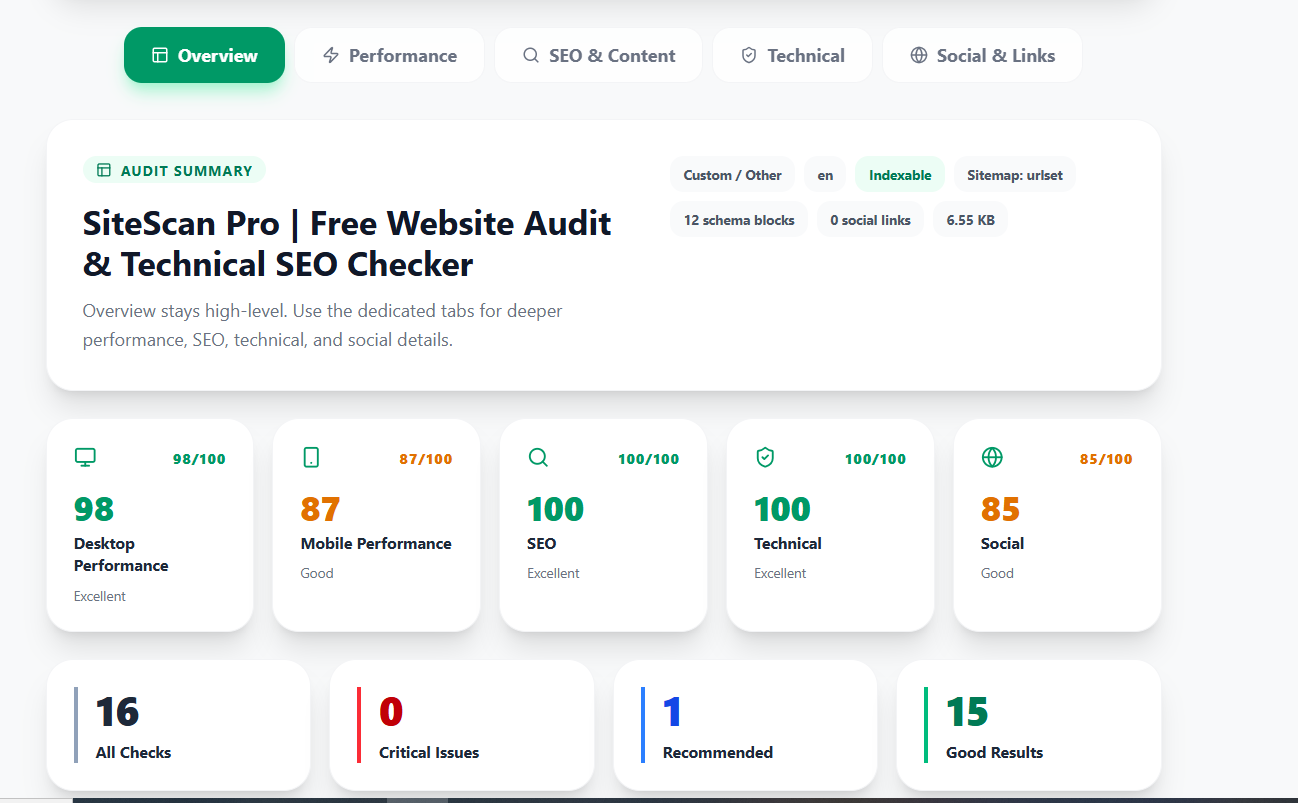
Start with a plain-English summary
The first section should explain the overall condition of the site. A reader should be able to understand whether the site is healthy, whether there are urgent technical blockers, and whether the page is ready for more SEO or ad traffic.
Show technical SEO status
Include indexability, canonical tags, robots rules, sitemap signals, structured data, headings, and metadata. These checks explain whether search engines can understand and trust the page.
Include speed and Core Web Vitals context
Performance metrics need explanation. A useful report should show whether page weight, slow server response, blocking scripts, or layout issues are likely to hurt users.
Call out broken links and trust issues
Broken links, missing security basics, weak social previews, and outdated references are easy wins. They make a report feel practical because the problem is easy to understand quickly.
Prioritize fixes by impact
A useful report does not need fifty equal warnings. Group fixes into urgent blockers, important improvements, and nice-to-have enhancements. This makes it easier to approve work.
Use the report to start a conversation
If you are using the report for research, the audit should be specific enough to be useful without feeling automated. Focus on one or two real issues, then compare related guides before making changes.
Next step
Run a SiteScan Pro audit and export the report. Use it as the starting point for technical SEO cleanup, content planning, or a before-and-after improvement record.